This iOS Trick Takes 10 Seconds and Increases Your Daily Efficiency
If you search Google more than a few times a day, the single most-used menu on your phone shouldn't require three taps to reach. Here's a 10-second setup that turns Google's Advanced Search into a one-tap app icon on your iPhone.
// the trick
Most people type plain keywords into Google and scroll through pages of noise to find what they actually meant. Google's Advanced Search page lets you build a precise query with dedicated fields — exact phrase, excluded words, site restriction, file type, language, region, and date range — instead of memorizing search operator syntax. The catch is that almost nobody bookmarks it, because it's buried a few taps deep in Google's settings.
The fix: pin it straight to your Home Screen like a native app.
- Open Safari on your iPhone and go to
google.com/advanced_search - Tap the Share icon in the address bar (the square with the arrow)
- Scroll down and tap Add to Home Screen
- Tap Add in the top-right corner
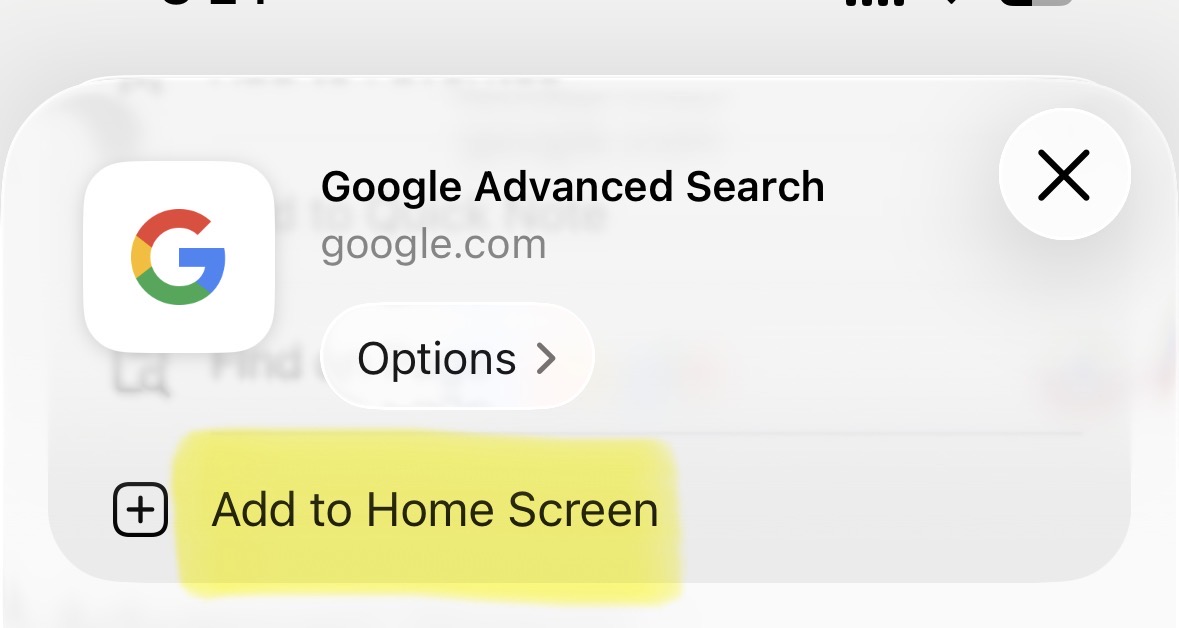
That's it. You now have an icon that opens directly into the structured search form — no typing site: or filetype: from memory, no digging through Google's hamburger menu. It behaves like a lightweight app: full screen, no browser chrome, one tap from your lock screen.
"exact phrase", -exclude, site:domain.com, filetype:pdf). The form does the syntax for you — you just fill in boxes. Multiply the seconds saved per search by however many searches you run in a day, and it adds up fast.
// what you can do with it
- Site-restricted research — search only within one domain (e.g. a government or court records site)
- Exact phrase matching — stop Google from "helpfully" broadening your query
- File type filters — pull up only PDFs, spreadsheets, or presentations on a topic
- Date range — filter results to a specific window, useful for tracking when something was first published
- Exclude terms — cut out an entire category of noise (e.g. results mentioning a distracting keyword)
// bonus: understanding UTM parameters
Since we're talking about URLs and search efficiency, it's worth explaining UTM parameters — the tracking tags you'll see tacked onto the end of almost every link shared from a marketing email, social post, or Medium article.
UTM stands for Urchin Tracking Module, named after Urchin, the web analytics company Google acquired in 2005 that became the foundation of Google Analytics. UTM parameters are just extra key-value pairs appended to a URL after a ?. They don't change where the link goes — they change what the destination's analytics tool records about how the visitor arrived.
| Parameter | What it answers | Example |
|---|---|---|
utm_source | Where the traffic came from | twitter, newsletter, medium |
utm_medium | What kind of channel it was | social, email, cpc |
utm_campaign | Which specific push or promotion | july_launch, black_friday |
utm_term | Paid search keyword, if applicable | ios+tips |
utm_content | Which specific link/creative, for A/B testing | header_link vs footer_link |
When someone asks about "UTM14" or a similarly numbered UTM tag, that's almost always a project- or campaign-specific label — e.g. the 14th tracked campaign in a spreadsheet, or a shorthand a team uses internally (utm_campaign=campaign14). There's no universal parameter called utm14 in Google's own spec; it's just how someone chose to name one of the five standard fields above. The parameters themselves are always the same five — source, medium, campaign, term, content — only the values change per link.
utm_source/utm_medium (e.g. ?utm_source=twitter&utm_medium=social vs ?utm_source=newsletter&utm_medium=email). That's the only way to see, in Medium's stats or Google Analytics, which channel actually drove the reads — instead of everything getting lumped into "direct" traffic.
// takeaway
Ten seconds of setup — Share → Add to Home Screen — turns a buried Google settings page into a one-tap power tool. It's a small change, but small frictions removed from something you do dozens of times a day compound into real time saved.